
Text Eraser for Photos
Remove text from photos in one tap
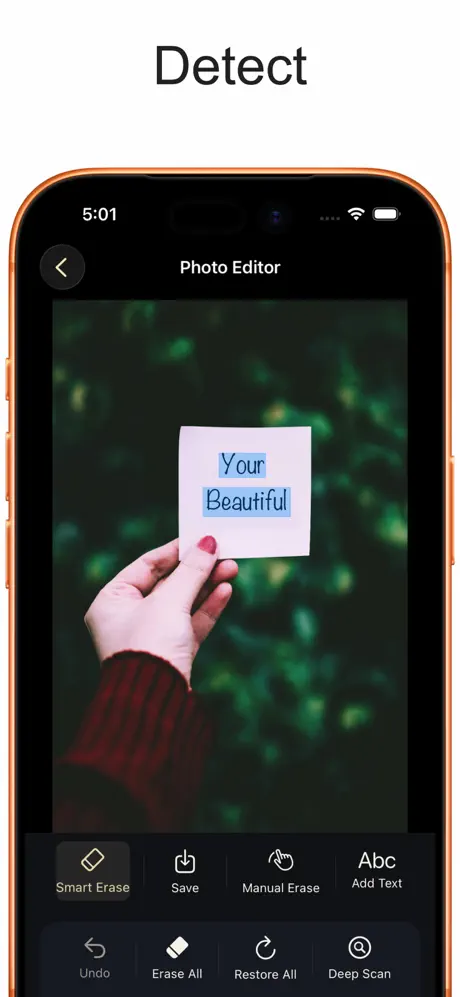
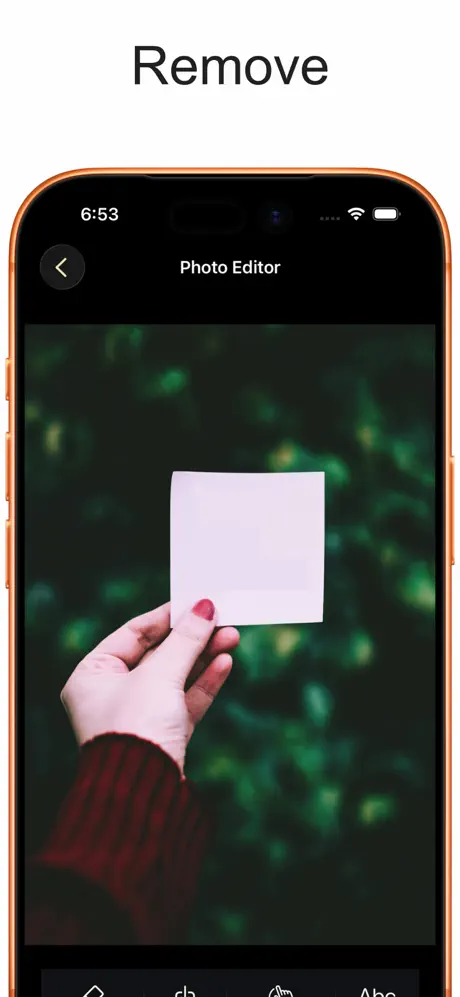
Text Eraser finds the captions, date stamps and stickers on your pictures and erases them, filling the space so the photo looks untouched.


About Text Eraser
Got a great shot ruined by an old date stamp, a caption or a stray label? Text Eraser is a smart text remover for iPhone and iPad that detects text in your photo automatically. Tap a highlight to erase it, or remove every word at once with Erase All.
It also works as a text watermark remover for your own pictures: clear your name or website from an old export, remove a camera date-stamp watermark, or clean up a "sample" overlay on a photo you've since licensed. Please only remove watermarks from images you own or have the right to edit.
It's built for your own photos: tidy up personal pictures, clean screenshots before you share them, or prepare product shots for a listing. Everything runs on your device, with no accounts, no uploads and no servers, so your photos never leave your phone.
Features
Smart Erase
Text is detected automatically. Tap once to remove words from a picture.
Erase All
Clear every caption, timestamp and label in a single tap.
Natural-looking fills
The erased area is rebuilt to blend with the background around it.
Add text back
Rewrite a caption in clean, customisable styles.
Precision tools
Manual brushes for pixel-level control when you need it.
Private by design
100% on-device processing. Nothing is uploaded.
How it works
- Pick a photo from your library.
- Smart Erase highlights the text it finds.
- Tap a highlight to erase it, or use Erase All.
- Add new text if you like, then save or share.
Perfect if you love…
- remove date stamp from photo
- remove text watermark from photo
- erase text from picture
- remove words from image
- clean screenshots
- photo touch-ups
Questions
How do I remove text from a photo on iPhone?
Open the photo in Text Eraser. Smart Erase highlights the text automatically. Tap a highlight to erase it, or use Erase All, then save the result to your library.
Can it remove a date stamp from an old photo?
Yes. Removing dates and timestamps from personal photos is one of the most common uses. The space is filled to match the surrounding image.
Can Text Eraser remove a watermark from a photo?
Yes, for text-based watermarks on photos you own or have permission to edit, such as your own name or website, a date stamp, or a sample overlay on a picture you have licensed. Text Eraser detects the lettering and fills the space to match the background. Please respect other people's copyright and don't remove watermarks from images that aren't yours.
Are my photos uploaded anywhere?
No. Text Eraser processes everything on your device. There are no accounts, no analytics and no servers.
Is Text Eraser free?
You can try it free on 5 photos. After that, a subscription unlocks unlimited edits; prices are shown in the App Store.
Get Text Eraser
Free download on the App Store. Need help? Visit support.